
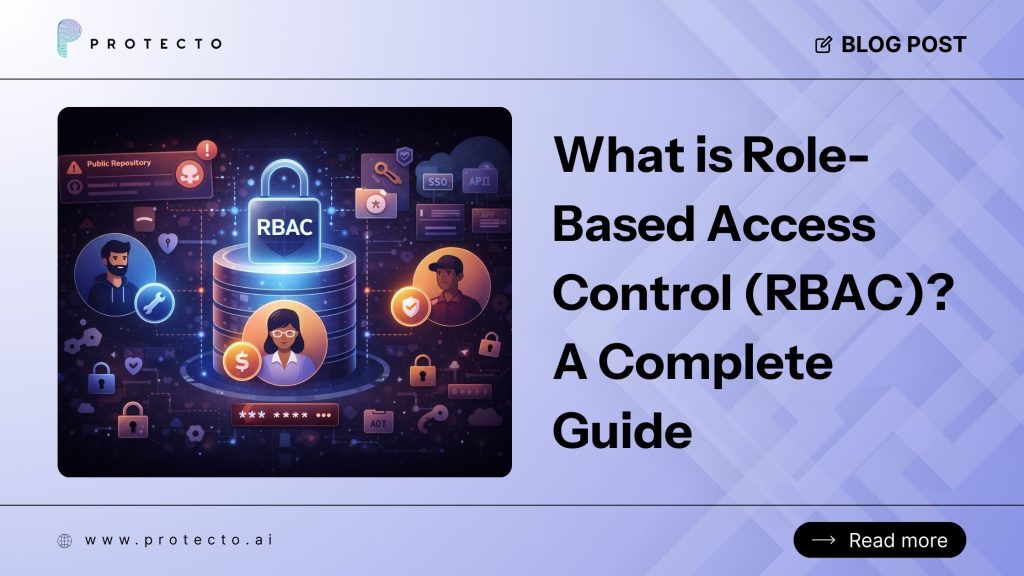
A Mercedes-Benz employee pushed an internal GitHub token into a public repository. Four months passed before anyone noticed. When RedHunt Labs discovered it in January 2024, the token was giving anyone unrestricted access to Mercedes’s entire internal GitHub Enterprise Server, including source code, cloud keys, SSO passwords, and API credentials. No sophisticated attack. Just an unmonitored token with zero scoping.
That is the exact problem role-based access control solves. RBAC meaning: a security model that grants system access based on a user’s organizational role rather than individual identity, ensuring permissions align with job function.
RBAC ties system permissions to job functions. A DevOps engineer gets infrastructure. A finance manager gets billing. Nobody gets everything. According to the IBM Cost of a Data Breach Report 2024, the average cost of a breach is $4.88 million. Stolen credentials take, on average, 292 days to catch.
The role-based access control definition is clean on paper: users receive only the permissions their role requires. Enforcing that RBAC meaning across dozens of systems, hundreds of users, and an expanding AI stack is where most teams either get it right or build a slow-moving liability.
Proven ROI and adoption. According to a 2023 survey by the Identity Defined Security Alliance, 78% of enterprises use RBAC as their primary access control model. Organizations that implement RBAC report a 50% reduction in time to provision new user access and a 40% decrease in access-related compliance findings during audits.
What Does RBAC Mean? The Architecture Explained
RBAC stands for Role-Based Access Control. “Role-based” means your job function determines what you can access, not who you are. “Access” is the systems, data, and actions a user can reach. “Control” signifies that the enforcement is systematic, auditable, and consistent.
RBAC, operationally: you define roles that mirror actual job duties, permissions follow those roles, and assign users to those roles. Most teams overcomplicate this. When someone moves teams or exits the company, you change their role assignment. Every permission follows automatically—no orphaned access sitting in the system months later.
The Four Core Building Blocks
Every role-based access control implementation runs on the same four components:
- Users are individuals or automated systems requesting access to organisational resources.
- Roles are named permission sets tied to actual job functions, such as “Payroll Viewer” or “Cloud Infrastructure Admin”.
- Permissions define what a role can do with a specific resource, such as read, write, delete, or execute.
- Sessions are active instances where a user exercises their assigned role’s current permissions.
One rule holds everything together: permissions never attach directly to users, always go through a role. Get that wrong, and the entire structure collapses. Get it right, and audits become tractable, onboarding gets fast, and offboarding stays clean.
Why RBAC Matters: Key Benefits for Security and Operations
Enforces least privilege at scale. RBAC ensures users receive only the permissions their role requires, reducing the attack surface. Over-privileged accounts are the leading cause of insider threats and credential-based breaches.
Simplifies compliance and audit readiness. Auditors ask, “Who has access to financial data?” With RBAC, the answer is a role list, not a spreadsheet of individual permissions. SOC 2, ISO 27001, HIPAA, and GDPR all require documented access controls—RBAC provides that documentation by design.
Accelerates onboarding and offboarding. New hires get the right access on day one by inheriting their role’s permissions. When someone leaves, you revoke their role assignment once, and every permission disappears automatically. No orphaned access sitting in the system for months.
Reduces administrative overhead. Instead of managing permissions for hundreds of individual users, IT teams manage a few dozen roles. When a role’s responsibilities change, you update the role once, and every user assigned to it inherits the change.
Improves security visibility. RBAC makes it easy to answer critical questions: Who can access customer PII? Who can approve financial transactions? Who has admin rights to production systems? Role-based reporting surfaces these answers in minutes, not days.
Scales with organizational growth. As teams expand and new systems are added, RBAC adapts without requiring a redesign. New users are assigned existing roles; new systems define roles that map to existing job functions.
How RBAC Works: The Access Decision Flow
Every RBAC system follows the same authorization sequence:
- Administrators define roles that correspond to real job functions (e.g., “Billing Analyst,” “DevOps Engineer”).
- Permissions are assigned to each role, specifying which resources the role can access and what actions it can perform (read, write, delete, execute).
- Users are assigned one or more roles based on their responsibilities. A user inherits all permissions from their assigned roles.
- At access time, the system checks whether the user’s active role holds the required permission for the requested resource and action.
- Access is granted or denied based on that check. No user can perform an action unless their role explicitly permits it.
This role-to-permission mapping is what makes RBAC scalable. When an employee changes teams, you update their role assignment once. Every permission adjusts automatically—no need to touch dozens of individual access-control lists.
RBAC Models: Choosing the Right Level of Complexity
The NIST RBAC framework, formalised as American National Standard INCITS 359 in 2004, defines four progressive models. Each RBAC model adds capability on top of the previous one.
| RBAC Model | Core Capability | Best Suited For |
| Flat RBAC | Basic role assignment, no hierarchy | Small teams, simple environments |
| Hierarchical RBAC | Roles inherit permissions from parent roles | Mid to large organisations with tiered teams |
| Constrained RBAC | Adds separation of duties enforcement | Finance, healthcare, and regulated industries |
| Symmetric RBAC | Full mutual exclusivity and role symmetry | High security, intensive audit requirements |
Most enterprises land on Hierarchical RBAC. Without role inheritance, teams end up with dozens of near-identical roles that nobody can untangle come audit time. Engineers call this role explosion. It is more common than most security teams admit.
Separation-of-duties constraints address the regulated-industry problem at the system level. No manual oversight needed.
RBAC vs CBAC: Which Access Control Model Fits Your Environment
The comparison that comes up most often in enterprise access design is RBAC vs CBAC, role-based versus context-based access control. They are not competing options. They serve different functions.
| Factor | RBAC | CBAC |
| Access decision | User’s assigned role | Situational context: device, time, location |
| Complexity | Lower, role changes are straightforward | Higher requires continuous contextual evaluation |
| Compliance fit | SOC 2, ISO 27001, HIPAA | Layered addition for high-risk environments |
| Where to start | Yes, build RBAC first | No, add CBAC once RBAC is stable |
A bank deploys RBAC to establish that loan officers can access customer credit data. They layer CBAC on top so that access is allowed only during business hours from an approved corporate device. RBAC defines what the role can do. CBAC decides whether the current context is appropriate for it.
For organisations building from scratch, role-based access control is the right foundation. Contextual controls come later.
RBAC and AI: Where the Real Risk Lives Now
When a large language model connects to your CRM, internal wiki, or customer database, it does not browse data the way a human does. It retrieves everything within reach in milliseconds. Without RBAC enforcement at the retrieval layer, there is an AI data-leakage risk that most organisations have not yet addressed.
The 2024 Insider Threat Report by Cybersecurity Insiders found that 71% of organisations are at least moderately vulnerable to insider threats. With AI agents now operating autonomously inside enterprise systems, that vulnerability surface has expanded significantly.
Protecto’s AI data governance framework enforces role-based access control directly at query time. Not at the application layer. At the data layer, where it actually matters. A customer support AI surfaces ticket histories and nothing beyond that scope. Payroll records, executive communications, internal HR notes: the role boundary holds regardless of how the user frames the query.
For teams building AI agents, this connects closely with AI agent access control, where every human user, service account, and agent should receive only the data its role is permitted to retrieve.
Treating AI Agents as Principals, Not Tools
Most access frameworks assumed a human was always on the other end. AI agents do not fit that mould. Protecto’s AI data governance approach assigns each agent a role with explicit permissions, just as it does for human employees and service accounts. The RBAC logic does not change. The enforcement does not change. The audit trail does not change. Only the type of user does.
Protecto’s AI data leakage prevention layer integrates with existing RBAC frameworks to apply masking, redaction, and access scoping at query time. Even if an AI agent constructs a request that would normally reach restricted data, the response only returns what the agent’s role permits.
This is similar to broader LLM data leakage prevention best practices, where sensitive data must be classified, masked, and scoped before it reaches the model response.
Implementing RBAC: What the Process Looks Like
Most RBAC implementations fail not because the concept is wrong but because the groundwork gets skipped. Roles end up mirroring org chart titles rather than actual access needs. Within a year, the system looks like RBAC on paper and behaves like ungoverned individual permissions in practice.
The implementation sequence that holds up under audit:
- Conduct a comprehensive permissions audit. Map every active account to its current permissions before defining any roles. Most organizations discover 30–40% of active accounts hold permissions nobody uses.
- Export user lists and permission grants from each system (IAM, Active Directory, SaaS admin panels).
- Identify orphaned accounts (former employees, unused service accounts) and revoke access immediately.
- Define roles from job functions, not job titles. “Senior Manager” is not a role. “Revenue Data Read Access for EMEA Sales Leadership” is.
- Interview department heads to document what each role actually needs to do.
- Name roles descriptively: include the resource, action, and scope (e.g., “Customer Support – Ticket Read/Write – US Region”).
- Enforce least privilege from day one. Every role should carry the minimum permissions required to perform its function. Over-permissioning at creation is how permission creep begins.
- Start with read-only access and add write/delete permissions only when justified.
- Require manager approval for any role that grants access to financial, HR, or customer PII data.
- Implement separation of duties (SoD) constraints. Prevent any single user from holding conflicting roles (e.g., one role to request a payment, another to approve it).
- Document which role pairs are mutually exclusive in your RBAC policy.
- Configure your IAM system to block assignment of conflicting roles to the same user.
- Automate role assignment and deprovisioning. Manual role changes are slow and error-prone. Integrate RBAC with your HR system and identity provider.
- Trigger role assignment automatically when a new hire’s HR record is created.
- Revoke all roles immediately when an employee’s status changes to “terminated” in the HR system.
- Establish role hierarchies where appropriate. If your organization has clear reporting structures, use hierarchical RBAC so senior roles inherit permissions from junior roles.
- Example: “Engineering Manager” inherits all “Software Engineer” permissions, plus budget-approval and team-management permissions.
- Log and monitor all access events. Capture who accessed what, when, and from where. Retain logs for compliance and forensic analysis.
- Enable audit logging in every system that supports RBAC.
- Set up alerts for high-risk actions (e.g., bulk data export, role-permission changes, after-hours access to financial systems).
- Schedule quarterly role reviews. Roles drift as responsibilities shift. Scheduled reviews catch that drift before it becomes a compliance finding.
- Assign each role an owner (usually a department head) responsible for certifying that all assigned users still need that access.
- Remove any role assignment that the owner cannot justify.
Most organisations solve half the problem. RBAC controls who gets in, but AI systems also need data classification, masking, and runtime enforcement to control what gets retrieved and returned. Protecto handles that second half. Role-based access control, data classification, audit logging, and data masking work inside one layer rather than across three separate tools. LLM data leakage gets stopped at retrieval. By the time a response generates, the sensitive content is already out of reach.
Common RBAC Implementation Mistakes to Avoid
- Role explosion. Creating a unique role for every slight variation in permissions (e.g., “Sales Manager – West Coast,” “Sales Manager – East Coast”) leads to hundreds of roles that nobody can manage. Consolidate roles and use attributes or groups for regional differences.
- Assigning permissions directly to users. The moment you bypass roles and grant permissions to individuals, RBAC breaks down. Every exception becomes a hidden liability that audits will flag.
- Ignoring separation of duties (SoD). Allowing one user to both request and approve financial transactions, or to write code and deploy it to production, creates fraud and security risks. Enforce SoD constraints in your IAM system.
- Skipping regular access reviews. Roles drift. Employees change teams, contractors finish projects, and nobody revokes the old access. Quarterly reviews are not optional—they are the only way to catch orphaned permissions before an audit does.
- Over-provisioning roles at creation. It is easier to add permissions later than to remove them. Start every role with the minimum access required and expand only when users demonstrate a legitimate need.
Final Word for Security and IT Decision Makers
For two decades, security teams built role-based access control best practices around one assumption: humans requesting access to systems. AI agents broke that assumption first. Those agents now pull data, generate responses, and log activity across enterprise environments without triggering a single login prompt.
Some security teams saw this coming. They extended their RBAC architecture to cover AI agents before deployment. Others are now trying to layer AI data-leakage prevention on top of a permissions structure that nobody built for autonomous systems. That retrofit is slow, expensive, and always incomplete.
Protecto closes that gap. Role-based access control gets applied across every access vector, human and machine, with classification, data masking, and AI data governance sitting inside the same layer. If your team is extending RBAC into AI workflows, Protecto’s role-based access control for AI agents helps enforce scoped access across users, agents, and enterprise data systems. Book a free data risk assessment at protecto.ai and see exactly where your exposure sits today.
FAQs on What is RBAC
What is RBAC in simple terms?
RBAC, short for role-based access control, grants system access based on a person’s job function rather than their individual identity. An HR manager gets HR tools. A developer gets infrastructure access. No account receives more permissions than its role requires.
What does RBAC stand for?
RBAC stands for Role-Based Access Control. RBAC is a structured model in which permissions attach to roles, roles attach to users, and every access decision traces to a documented assignment rather than an individual judgment call.
What is the difference between RBAC and CBAC?
In the RBAC vs CBAC comparison, role-based access control grants access based on job role, while context-based access control adds situational factors, including device type, location, and time. Most enterprise environments use RBAC as the structural foundation and layer contextual controls on top for high-risk scenarios.
How does RBAC prevent AI data leakage?
AI agents do not browse. They retrieve everything within reach and surface it. Without role-based access control scoping, sensitive content is retrieved and appears in generated responses before anyone realizes it should not have been accessible. Proper RBAC cuts that off at the source.
How does RBAC work?
RBAC works by assigning permissions to roles rather than individual users. Administrators define roles that correspond to job functions, attach permissions to those roles, and then assign users to roles. When a user requests access to a resource, the system checks whether their active role holds the required permission and grants or denies access accordingly.
What are RBAC best practices?
RBAC best practices include defining roles based on actual job functions (not job titles), enforcing least privilege by granting only the minimum permissions required, implementing separation of duties to prevent conflicts of interest, automating role assignment and deprovisioning, and conducting quarterly access reviews to catch role drift and orphaned permissions.

